REST API Examples Across Common Integration Patterns
Learn REST authentication patterns and pagination strategies with production-ready code examples.
REST makes up 93.4% of API architectures in Postman's 2024 State of the API Report, and 82% of organizations now run API-first, according to Postman's 2025 follow-up. This is just the water everyone's swimming in. GraphQL is growing fast in big enterprises, and gRPC has gained significant traction for internal microservice traffic. None of that changes the fact that somewhere in your stack, you're reading, writing, or debugging REST. This piece skips the concept definitions (you know what an API is) and goes straight to the code, along with the reasoning behind each decision.
How to read the authentication pattern before writing a single request
Before you write a single line, figure out who's asking and who's answering. That's really all auth is.
Four mechanisms cover almost every case you'll run into. API keys are the simplest and still the most common, showing up in roughly 67% of public APIs according to RapidAPI's 2024 report. Stripe, Twilio, SendGrid, all the greatest hits use them. Rule of thumb: keys live server-side, never in a browser, never in a mobile app binary, never anywhere a curious user could pop open dev tools and find them.
JWTs (JSON Web Tokens) are the right call when a real person is behind the request and you don't want to store session state. Adoption jumped from 35% in 2021 to 52% in 2024, per Auth0's Identity Report, and that climb tracks with how many APIs went stateless and user-facing over the same stretch.
OAuth 2.0 enters the picture when you're delegating access, think "sign in with Google" or a third-party app requesting calendar permissions. Okta's 2025 Businesses at Work Report puts adoption at 91% of enterprises using OAuth 2.0 or OpenID Connect for at least one integration. OpenID Connect itself, which adds identity verification on top of OAuth, has also seen broad enterprise adoption.
Here's the decision tree the examples below follow. Server-to-server with no user involved calls for an API key, user-facing and stateless calls for a JWT, and third-party delegation calls for OAuth 2.0's authorization code flow.
API key example, plain and boring on purpose:
GET /v1/orders HTTP/1.1
Host: api.example.com
Authorization: Bearer sk_live_51H8...
Forget the header, and you get this back:
HTTP/1.1 401 Unauthorized
{
  "error": "missing_api_key",
  "message": "No API key found in request"
}
The fix isn't clever. Catch the 401, check whether the key is present and correctly formatted, and retry once with the corrected header. Don't retry blindly; a 401 usually means something's wrong with your setup, not the network.
JWT example, including the part everyone forgets: expiry.
const token = jwt.sign({ sub: userId }, secret, { expiresIn: '1h' });

fetch('/v1/profile', {
  headers: { Authorization: `Bearer ${token}` }
});

// on 401 with token_expired:
const newToken = await refreshAccessToken(refreshToken);
Skip the full OAuth authorization code dance here, it's dense enough to earn its own article, but the token exchange step is worth showing because it's the part developers actually hit mid-integration:
POST /oauth/token
grant_type=authorization_code&code=AUTH_CODE&client_id=...&client_secret=...
You get an access token and a refresh token back. Store the refresh token somewhere that isn't local storage.
A concrete reason to take all this seriously: 70% of APIs faced a breach in a 2024 cybersecurity report. Rotate your keys on a schedule, keep them out of client-side code, and don't treat "it's just a demo" as a reason to skip either.
Fetching large datasets safely with pagination patterns
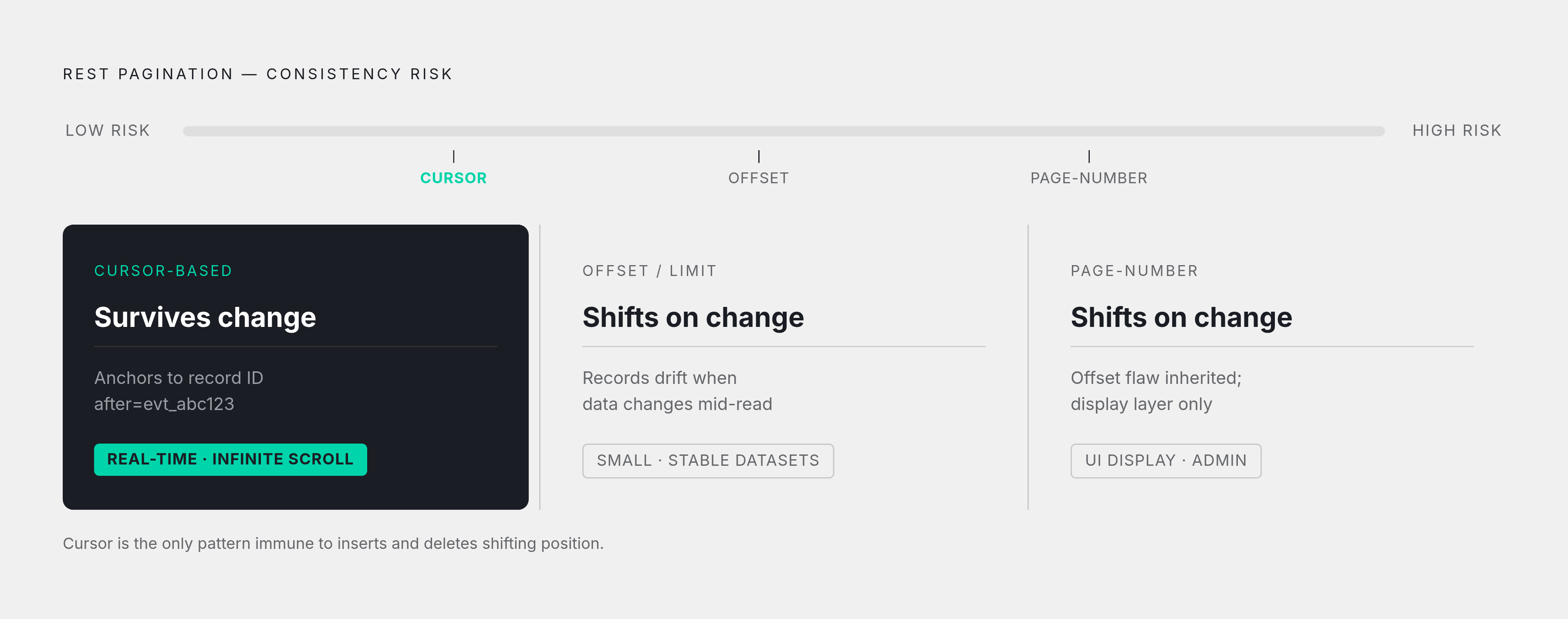
Three ways to paginate, three different failure modes. Pick based on what your data does while you're reading it, not on what's easiest to code at 4pm on a Friday.
Offset/limit is the one everyone reaches for first because it reads like plain English. GET /orders?limit=20&offset=40 means "give me 20 orders starting at position 40." Simple, until someone deletes a record from page 1 while you're still fetching page 2. Now everything shifts left, and an item you should have seen slides into the gap and disappears. Insert a record instead, and the reverse happens: an item you already saw shows up again on the next page, the same bug with the opposite symptom.
GET /orders?limit=20&offset=0
{
  "data": [...20 orders...],
  "total_count": 143,
  "next_offset": 20
}
Loop through it and you just keep bumping offset by limit until next_offset comes back null. Fine for small, stable datasets, but risky for anything actively being written to.
Cursor-based pagination fixes the consistency problem by anchoring to a specific record instead of a position:
GET /events?after=evt_abc123&limit=50
{
  "data": [...50 events...],
  "next_cursor": "evt_xyz789",
  "has_more": true
}
You take next_cursor and thread it into the next request. When has_more comes back false, you're done. Because the cursor points at an actual item rather than a numeric slot, inserts and deletes elsewhere in the dataset don't shift your position. That's why cursor pagination is the default for anything real-time or infinite-scroll: Stripe and most modern event APIs all work this way.
Page-number pagination ("page 3 of 12") is the friendliest to show in a UI, but it inherits offset's exact same consistency problem once the dataset is large or actively changing. Treat it as a display layer on top of offset logic, not a separate fix.
A well-built pagination envelope tells you what to expect without guessing: a Link header (RFC 5988) for next/prev URLs, X-Total-Count for the full size, explicit next/prev cursor fields in the body. If an API you're integrating with has none of that, budget extra time, because you'll be reverse-engineering their pagination logic instead of reading it.
Offset still earns its keep in specific spots: small and stable datasets, internal admin tools where nothing's changing mid-read, or third-party APIs that simply don't offer anything better. Match the tool to the job, not the other way around.
Handling synchronous request-response calls and the errors they produce
Synchronous REST is the plain vanilla of API patterns: send a request, wait, act on what comes back. It's the right shape for CRUD, payment initiation, identity lookups, anything where your code genuinely can't proceed without an answer in hand.
Creating a resource looks like this:
POST /v1/orders
{ "customer_id": "cust_123", "items": [...] }

HTTP/1.1 201 Created
Location: /v1/orders/ord_456
{ "id": "ord_456", "status": "pending" }
Good practice, follow that 201 with an immediate GET to Location and confirm the state actually landed the way you expect. Trust, but verify, especially across a network you don't control.
PUT versus PATCH comes down to one question: are you replacing the whole thing, or just a piece of it? Updating a product's price and nothing else calls for PATCH:
PATCH /v1/products/prod_789
{ "price": 2499 }
Swap in PUT only when you're sending the complete resource and intend to overwrite everything else with it, including fields you didn't mean to touch. That's the classic PUT footgun: send a partial body by mistake and you've just nulled out half the record.
Errors aren't a side quest here, they're baked into the same request. 4xx codes mean the caller messed up: 400 for bad input, 401 for missing or invalid auth, 403 for valid auth with the wrong permissions, 404 for a resource that isn't there, 429 for rate limiting. 5xx codes mean the server messed up, and 500, 502, and 503 are usually worth retrying.
Retry logic in practice:
async function requestWithBackoff(fn, maxAttempts = 3) {
  const delays = [0, 1000, 2000];
  for (let i = 0; i < maxAttempts; i++) {
    try {
      return await fn();
    } catch (err) {
      if (err.status === 400) throw err; // never retry bad input
      if (i === maxAttempts - 1) throw err;
      await sleep(delays[i]);
    }
  }
}
A 400 should never be retried; sending the same bad request three times just gets you the same bad response three times, slower. A 503 with a Retry-After header is a different animal entirely, and worth honoring exactly as instructed.
One more piece that trips people up: POST requests aren't naturally safe to retry, because retrying a "create" call can create the same thing twice. Stripe's model, an Idempotency-Key header attached to the request, solves this cleanly:
POST /v1/charges
Idempotency-Key: charge_attempt_001
Send the same key twice, get the same result back, no duplicate charge. This is the exact pattern Stripe, Twilio, and SendGrid all lean on in their server-side SDKs, so it's worth internalizing rather than treating as a Stripe-specific quirk.
Moving from polling to webhooks when real-time matters
Polling is where almost everyone starts, and there's no shame in it. Hit an endpoint on a schedule, compare what you got to what you had, act on the difference.
setInterval(async () => {
  const res = await fetch(`/v1/orders?since_timestamp=${lastCheck}`);
  const { data } = await res.json();
  if (data.length === 0) return; // nothing new, move on
  processNewOrders(data);
  lastCheck = Date.now();
}, 60000);
Polling is still the correct answer when the source system doesn't support anything better, when you're pulling batch data and a few minutes of lag doesn't matter, or when the change stream is so frequent that a webhook for every event would flood your own server. Watch your rate limits while you're at it; reading X-RateLimit-Remaining from the response and backing off before you hit zero saves you from a 429 you saw coming from a mile away.
What polling can't do is beat its own interval. Poll every five minutes, and you're accepting up to five minutes of lag, structurally, no matter how fast your code runs. For payment confirmation, fraud alerts, or CI/CD triggers, that's a business problem, not a rounding error.
Webhooks flip the direction: the provider tells you the second something happens, rather than waiting for you to ask "anything new?" on a loop.
app.post('/webhooks/payment', (req, res) => {
  const signature = req.headers['x-signature'];
  const expected = hmac(sharedSecret, req.rawBody);
  if (!timingSafeEqual(signature, expected)) {
    return res.status(400).send('invalid signature');
  }
  res.status(200).send('ok'); // acknowledge immediately
  queue.push(req.body); // handle the actual logic later, async
});
Two details there matter more than the rest of the code combined. First, verify the signature using constant-time comparison, not a regular ===, because a naive comparison leaks timing information an attacker can exploit. Second, return the 200 before you do any real work. If your handler takes too long, the provider assumes delivery failed, retries, and now you've processed the same event twice. Acknowledging fast and pushing the real logic onto a queue sidesteps that entirely.
Which brings up the other non-negotiable: duplicates will arrive, timeout or not. Check the delivery ID against a store of events you've already seen before you process anything.
if (await seenEvents.has(event.id)) return;
await seenEvents.add(event.id);
processEvent(event);
Plenty of source systems still don't offer webhooks at all, which is exactly why polling infrastructure doesn't get to retire once you've built the fancier version. Both patterns need to live in the same toolkit, because you won't get to choose which one the third-party API supports.
Stripe's webhook dashboard is worth studying even if you never touch Stripe, because it shows what a mature setup looks like: every event logged, every delivery attempt tracked, every response code visible, and a manual resend button for when your server was down. That's the bar for production-grade webhook observability.
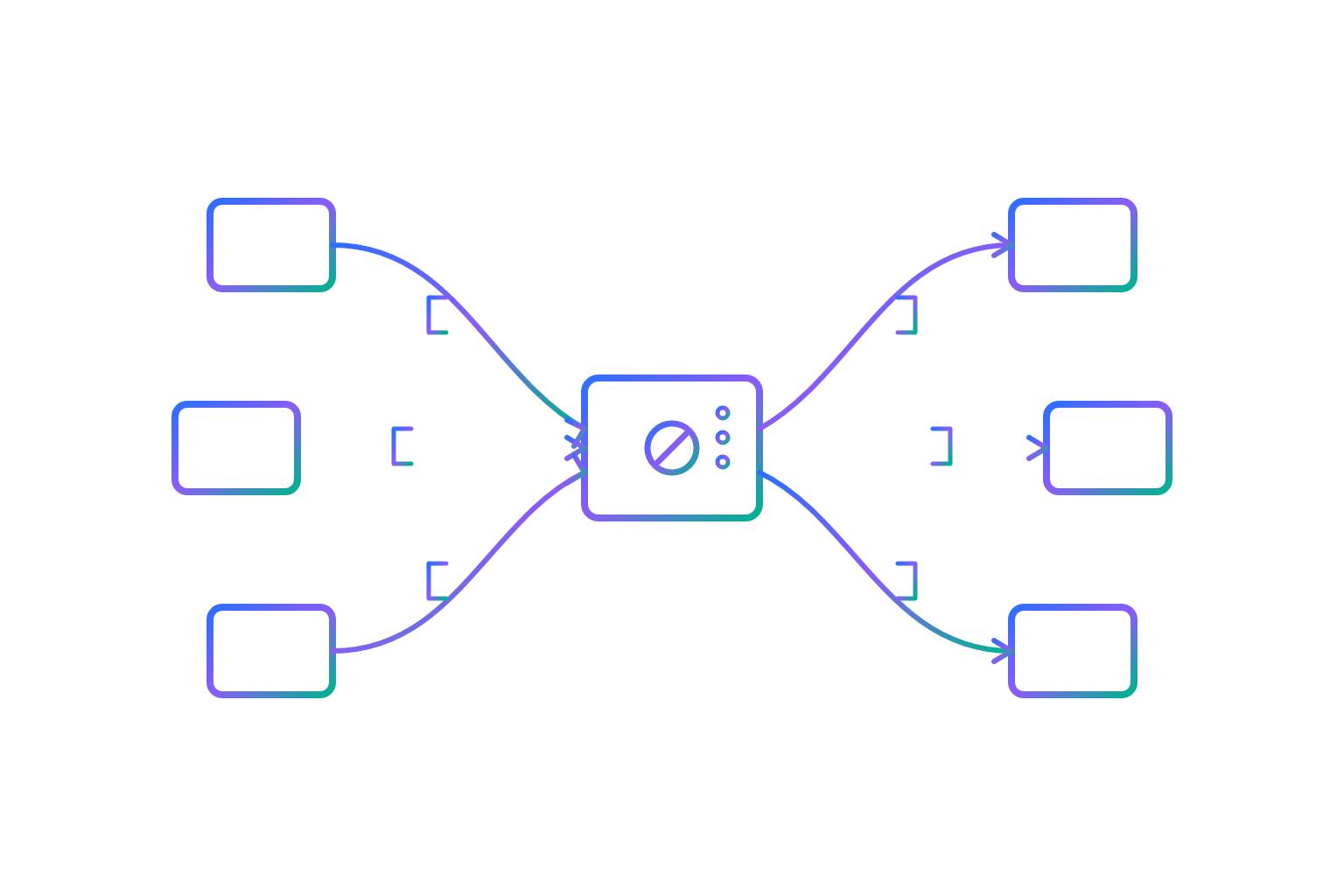
Using an API gateway to manage REST integrations at the microservices layer
Once you've got more than a couple of services, a gateway stops being architecture-diagram theater and starts solving actual problems.
Routing is the obvious one: /api/orders goes to the Order Service, /api/users goes to the User Service, and the client only ever needs to know about one address. Authentication gets centralized too, tokens get validated at the gateway, before any downstream service ever sees the request, so you're not reimplementing auth logic five times across five codebases.
Protocol translation is where it gets genuinely useful at scale. The client speaks REST over HTTP; internally, your services might speak gRPC, especially since gRPC has become a popular choice for high-throughput internal microservice traffic. The gateway sits in the middle and translates, so the client never has to know or care.
Response aggregation is the one that actually saves users time. Picture a food delivery app: one screen needs auth status, nearby restaurants, and order history, three separate backend services. Without a gateway, the client fires three requests and stitches the results together itself. With one, the gateway fans out to all three in parallel and hands back a single merged response:
async function getHomeScreen(userId) {
  const [auth, restaurants, orders] = await Promise.all([
    authService.verify(userId),
    restaurantService.nearby(userId),
    orderService.history(userId)
  ]);
  return { auth, restaurants, orders };
}
Circuit breakers round it out. If the order history service starts failing, the gateway trips the circuit and returns a cached or default response (empty history, say) instead of letting the failure cascade and take the whole screen down with it. The client sees a degraded experience instead of a crash, which, put plainly, is the entire point.
Netflix's Zuul is the reference example here, not because it's trendy to name-drop, but because the pattern came out of a real operational headache at scale, not a whiteboard exercise.
Worth knowing too: gateways don't have to be one-size-fits-all. A Backend for Frontends setup runs separate gateways per client type, mobile gets a stripped-down payload without fields it'll never render, web gets the full thing. Less over-fetching, faster mobile responses, no code duplication across teams.
REST remains the dominant architectural style across both public and internal APIs.at 78% of inter-service communication in microservices architectures, so this is most teams building anything distributed, not a niche concern. That said, a gateway is overhead you don't need for a single-service app or a simple two-party integration; don't build the Netflix version of your architecture for a project that has one backend and one client.
Putting the patterns together in a realistic integration sequence
Here's where all five patterns show up in one flow, because that's how they actually appear in production: tangled together, not filed neatly by chapter.
Take an e-commerce backend integrating with a payment provider and an inventory system. Authentication comes first, and it's not one-size-fits-all here either: an API key for server-to-server calls to the payment provider, an OAuth token for the inventory system since it requires user-delegated access.
At startup, and again on a nightly job, the backend pulls the full product catalog from inventory using cursor pagination, since the catalog is large and actively changing throughout the day.
When a customer checks out, the backend fires a synchronous POST to create a payment intent, idempotency key attached, so a network hiccup and retry doesn't double-charge anyone. A 402 comes back if the card's declined, a 429 comes back if the payment provider's rate limit is hit, and both get handled explicitly rather than falling through to a generic error page.
Sometime after that, the payment provider sends a payment.succeeded webhook. The backend verifies the signature, returns 200 immediately, and pushes the event onto a queue that updates the order status asynchronously. Meanwhile, since the inventory system doesn't support webhooks at all, a background poller checks for stock-level changes every 15 minutes, with backoff logic ready for whenever it bumps against a rate limit.
Every failure mode in that flow has a designated home. Auth failures get caught before the first payment call goes out, pagination failures get caught while pulling the catalog, and payment errors get caught in the synchronous handler. Duplicate webhook deliveries get caught by the idempotency check on the receiving end.
Scale that same integration up, add a third payment provider, a fourth internal service, a mobile app alongside the web client, and this is exactly where a gateway earns its place. The aggregation pattern and the circuit breaker slot in naturally once there's enough moving parts that a client shouldn't have to talk to all of them directly.
No single pattern here covers every case, and that's the design, not a gap. The actual skill is matching a pattern's latency, reliability, and complexity tradeoffs to what the specific problem in front of you needs. The code in each section above is a starting point, nothing more. What actually carries over to your next project isn't the syntax, it's the judgment behind it: cursor over offset, webhook over poll, sync over async, and knowing exactly why in each case.