API in Simple Terms Using Familiar B2B Workflows
A waiter analogy reveals how APIs quietly move data between your business systems.
What an API is, explained through the one analogy that works
API stands for Application Programming Interface. Memorizing that phrase gets you nowhere, same as being told a car runs on "controlled combustion dynamics." Technically correct. Completely useless. Most B2B professionals trigger API calls dozens of times a day without ever clocking it. A lead auto-populates in Salesforce, a shipping update appears in a customer portal, a price refreshes on a dashboard nobody refreshed themselves. Skip the acronym. Map the concept onto those exact moments instead.
Picture a restaurant. You sit down, you order, a waiter carries that order to the kitchen. You never see the flames, the noise, six pans going at once. You get a plate.
That waiter is the API. Your business system places a request, the API carries it to the kitchen (the server, the database), and it comes back with a result, none of the mess behind it exposed. The metaphor holds up in B2B terms, too. The menu is the documentation, the contract that says order X, get Y. Each dish is an endpoint, one specific thing you're allowed to ask for. The order is the request, and the plate on your table is the response.
A waiter serves one table at a time, and pretending otherwise would insult anyone technical reading this. An API handles thousands of requests at once without breaking a sweat, and the kitchen behind it can swap suppliers, recipes, even the head chef, without the waiter's behavior changing at all from your side of the table. That is the actual power of an API. The system underneath can change completely without forcing anyone connected to it to renovate their dining room.
One phrase to carry out of this section: API equals structured middleman. That's the whole definition, and anyone selling you a longer one is charging by the word.
How APIs turn a CRM sync from a manual chore into a live data layer
Before enrichment APIs showed up in most sales stacks, a rep filled in company fields by hand: headcount, industry, funding stage, whatever the form demanded. Someone guessed, or tabbed over to LinkedIn and copied it manually. The record went stale the moment it got typed in, because businesses change faster than humans update spreadsheets.
A data enrichment API skips all of that. It takes something the CRM already has (a company domain, a LinkedIn URL, an email address) and sends it to an external provider's endpoint. Back comes a structured response, usually JSON, packed with headcount, industry, funding stage, recent job postings. No exports, no copy-paste, no waiting around for a page to load. Coresignal's data puts average enrichment response latency at 176 milliseconds, faster than a human finishes pressing a key. The data writes itself straight into the CRM, the warehouse, or whatever AI workflow is waiting on it downstream.
Get one thing straight: a data enrichment tool and a data enrichment API are not the same purchase, and treating them as interchangeable is how procurement wastes a budget cycle. A tool has a screen, buttons, something a rep clicks through by hand. An API has none of that. It runs underneath, invisible, feeding other systems on its own. Pick the tool if someone checks a record manually once in a while. Pick the API the moment data has to move continuously, into a product, a model, a dozen systems at once, because there's no version of that at scale where a human clicking buttons keeps up.
This matters more now, not less. AI and machine learning workflows depend on verified external data the same way revenue teams always have. When an agentic system is fed dirty inputs, it produces bad outcomes at machine speed instead of human speed. The API is the piece of infrastructure that keeps the CRM honest without adding a single body to headcount.
The invoice-to-settlement journey that finance teams live in, handled by a payment API
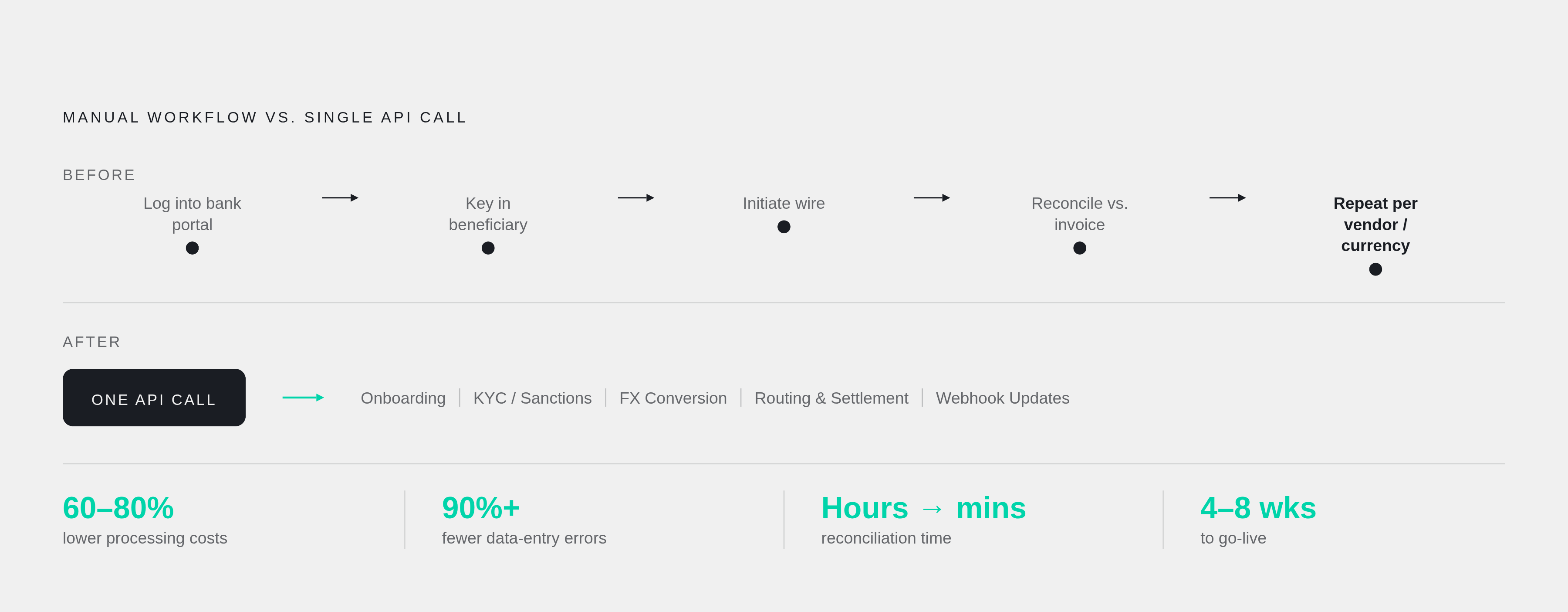
Before payment APIs, someone on the finance team logged into a bank portal, keyed in beneficiary details by hand, initiated a wire, then reconciled the confirmation against the original invoice manually. Repeat for every vendor, every currency, every market. None of it is hard work. It's tedious in the specific way that eats an entire afternoon and leaves nothing behind but relief when it's finally done.
A B2B payments API collapses that whole sequence into one call. The ERP or treasury platform sends a single request, and the API handles beneficiary onboarding, compliance screening (KYC, KYB, sanctions checks), currency conversion, routing, settlement, and status updates via webhook, all without a human opening a single bank portal tab. Wondergate's data shows this kind of integration supports payouts across more than 190 countries and over 50 currencies through one connection.
The payoff appears in the numbers, and it's not subtle. Wondergate's integration guide reports businesses that adopt payment APIs cut processing costs by 60 to 80 percent, eliminate more than 90 percent of manual data entry errors, and shrink reconciliation time from hours to minutes. For a business moving $20 million a year in B2B payments, that kind of gain typically pays back the integration cost in two to four months. Anyone still running that process by hand at that volume is paying for it twice: once in labor, once in the errors labor produces. That second cost is the one nobody puts on a budget line. It never gets fixed because no one is tracking it.
None of this changes what the finance team sees day to day. They still work inside the same ERP or accounting software, while the API runs underneath doing the compliance, FX, and routing work nobody wants to touch by hand. Most production-ready integrations go live in four to eight weeks. The real effort was never the API call itself; it's the compliance mapping and the ERP connector work sitting around it.
Back to the waiter. The finance team places the order (initiates payment). The API handles everything happening in the kitchen (compliance, FX, routing). The plate that comes back is the settlement confirmation and reconciliation data, already matched, already done.
Order fulfillment and shipping data moving between business systems without anyone emailing a spreadsheet
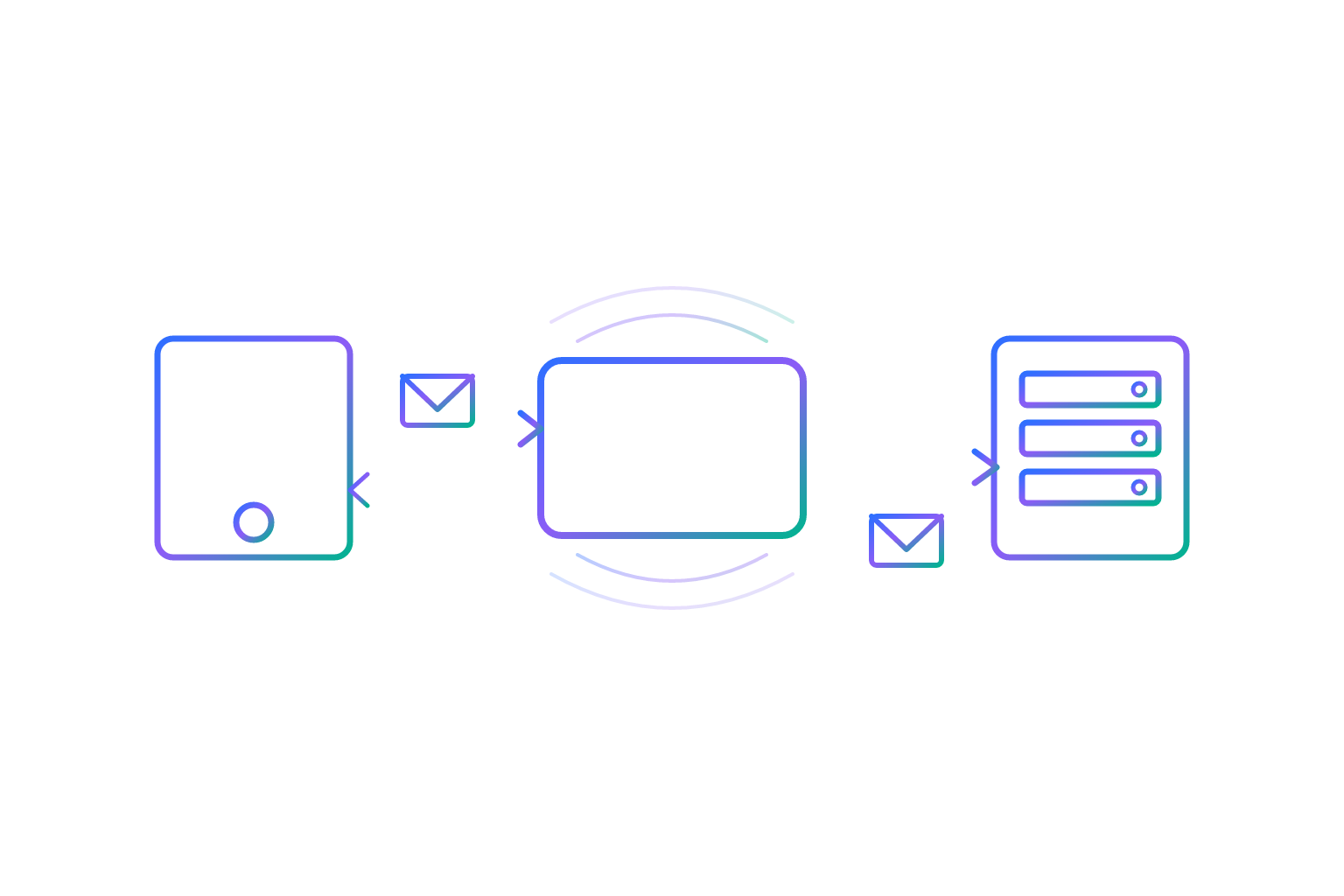
A customer logs into a portal. An order ships. Tracking information appears automatically, nobody typing anything. That's a B2B API integration doing its job quietly in the background. The fulfillment system sends an API call to the customer portal carrying the tracking payload, the portal receives that structured response, and it renders on screen. No email chain, no manual entry, no CSV attachment somebody forgot to update since Tuesday.
The same pattern runs order processing, document generation, customer onboarding, compliance checks, basically any repeatable task that has to cross from one system into another without a person acting as the courier.
Anyone in manufacturing or supply chain should sit with this one, because the answer isn't as clean as "APIs replace EDI." EDI (Electronic Data Interchange) still runs a lot of supply chains, using formats like X12 and EDIFACT that have been standard for decades. APIs bring something EDI doesn't: real-time data flow, more flexible formats, faster onboarding for partners who never adopted EDI. Most operations run both side by side, and that's the right call, not a compromise. They solve different problems instead of competing for the same job.
The scale of this gets obvious fast when you zoom out. MuleSoft's Connectivity Benchmark Report found the average enterprise runs over 1,000 different applications. The scale of this gets obvious fast when you zoom out, and it's not an exaggeration for effect. That's a thousand separate systems that all need to talk to each other, and APIs are the only reason those systems don't collapse into a thousand isolated silos, each one hoarding its own data, none of it useful anywhere else.
What changes when AI agents start making API calls on their own
Same infrastructure, different caller. That's the entire shift, and it's smaller than the hype around it suggests. AI and machine learning workflows depend on verified external data the same way revenue teams always have. The only thing that changed is a machine is now the one asking.
That shift raises the stakes on data quality, and anyone claiming otherwise hasn't watched what happens downstream. Dirty data inside an agentic system produces bad outcomes at machine speed. Automation is supposed to be the advantage here. When it is fed bad inputs instead, that same advantage flips into a liability moving faster than anyone can catch it, a genuinely worse failure mode than a human making the same mistake slowly enough to notice.
Anthropic released the Model Context Protocol (MCP) as an open standard in late 2024. MCP lets an AI agent call outside tools natively, mid-conversation, using the same request-and-response pattern a REST API uses. An agent triggers it instead of a person clicking a button or a cron job firing at 2 a.m. MCP is becoming a peer to REST APIs as an access point for verified B2B data among teams actually building agentic workflows.
Walk through the sequence. An AI agent inside a go-to-market system spots a new inbound lead. It calls a data enrichment API to pull firmographics and intent signals, calls a routing API to hand the lead to the right account owner, then kicks off a follow-up sequence. No human touches any of those three steps individually.
Everything covered so far, request, response, endpoint, structured data, is the exact vocabulary agentic AI runs on. Learn it now, because it's the foundation everything else gets built on.
Why B2B SaaS companies treat their API as a growth surface
For a B2B SaaS vendor, the API stopped being a back-office necessity a while back. Treating it as a technical checkbox instead of a strategic asset is the mistake most product teams still make, and it's a costly one, because a product's value now hinges on how well it plays with everything else already sitting in a customer's stack.
That's part of why SaaS marketing drifted away from feature lists toward integration stories. Nobody wants to hear "here's our new button." They want "here's how this plugs into the six tools you already run." The API is what makes that story credible instead of aspirational, and companies still leading with feature lists in 2026 are marketing to a buyer that stopped listening years ago.
Directive's 2026 analysis puts a specific number behind this. After implementing API adoption signals to identify power users and trigger expansion conversations, expansion ARR jumped from 20 percent to 45 percent of total new ARR, a shift too large to dismiss as a rounding error. That's the API working as a sales lever, not a support line item.
Buyers aren't waiting for a sales call to figure any of this out anymore. Buyers in 2026 complete somewhere between 57 and 70 percent of their purchase journey before ever contacting a vendor. Whatever API documentation, integration guides, or use-case content they hit during that stretch does sales work with nobody in the room, and every integration guide that answers a technical objection early is one less reason for the deal to stall later.
Writing about an API clearly, in the language of workflows instead of endpoints, functions as a growth motion in its own right.
Writing about APIs for readers who are not developers but make decisions that involve them
A buying committee for anything API-related is rarely one type of person. Technical evaluators want architecture details, integration patterns, security posture, the stuff that lives in a spec sheet. Finance approvers want the cost-and-efficiency framing laid out earlier in the payment API section. End users want one question answered: does the daily workflow get easier or harder? Executive sponsors want the big picture: ecosystem fit, expansion potential, risk reduced.
Lead with the workflow, never the technology, and this is the rule most technical writing gets backwards. A reader recognizes their CRM sync instantly. They don't recognize "enrichment API" until it's been shown to them inside something they already touch every day. Start where the reader already stands, not where the architecture diagram starts, because architecture diagrams are where readers go to fall asleep, not to learn.
There's a real gap in the market to exploit here. Only a small share of B2B content teams take bottom-of-funnel content seriously, and API material (integration guides, use-case walkthroughs, "how to get X result" tutorials) is exactly the format that answers the questions buyers ask right before they sign. Content that defines things clearly, uses real structure, and answers actual operational questions also happens to be the content AI answer engines pull from and cite. Writing well for a human and writing for AI visibility turn out to be the same job, which should make the choice easy for anyone still debating which one to optimize for.
The CMI and MarketingProfs 16th Annual B2B Content Marketing Survey, fielded across 1,015 B2B marketers and sponsored by Storyblok, found 58 percent rate their own content strategy as only moderately effective. The reasons vary, but the gap is consistent across the field. API content built from a workflow angle instead of a feature angle is one concrete, checkable way to close that gap.
The restaurant analogy earned its place in this piece for one reason: it's concrete, and everyone has eaten at a restaurant. Every API explanation worth writing finds its own version of that, the workflow the reader is already standing inside, before a single piece of technical vocabulary appears on the page.